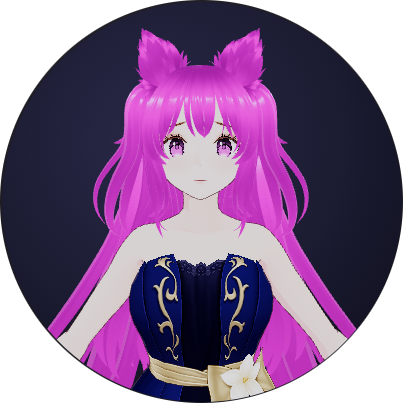
Control the avatar live
The SDK is mounted bottom-right — draggable. Every button calls the real API.
Gestures
Expressions
States
Look
Speech
Framing
Theme
Position
Size
Six systems, one API
Everything works together automatically. You control one avatar instance.
Renderer
Three.js WebGL scene, ACES tone mapping, ambient + key + fill lighting.
Animation Engine
Procedural bone rotations for gestures. No animation clips needed in your model.
Audio Engine
Web Audio API wrapper. Playback, amplitude analysis, gain control.
Lip Sync
Amplitude-to-viseme mapping drives mouth morphs in real time during speech.
Asset Loader
GLB and VRM loading from any CORS-enabled URL. In-memory model cache.
Plugin System
avatar.use(plugin) registers integrations. Receive the full AvatarApi.
Everything you need to ship.
Framework-agnostic
Vanilla, React, Vue, Next.js, Nuxt, Svelte, Angular, Electron. One import, any stack.
AI-ready lip sync
Pass any audio buffer to avatar.talk(). Amplitude drives mouth morphs automatically. Official plugins for OpenAI TTS, ElevenLabs, and Anthropic — or wire up any provider yourself.
Draggable & themeable
Light, dark, transparent themes. Runtime repositioning, resizing, custom backgrounds. Everything configurable without recreating the instance.
Up and running in minutes
npm install @mymosdk/avatar threeQuickstart
import { Avatar } from "@mymosdk/avatar"

const avatar = new Avatar({
  model: "https://your-cdn.example.com/avatar.vrm",
  position: "bottom-right",
  size: 200,
  theme: "dark",
  framing: "bust",
})

// That's it — the avatar mounts to document.body
avatar.on("loaded", () => avatar.wave())First-class AI integrations
Drop-in TTS plugins for the most popular providers. Each one calls avatar.talk() internally — lip sync works automatically.
import { OpenAITTSPlugin } from "@mymosdk/plugin-openai"

const tts = new OpenAITTSPlugin({
  proxyUrl: "/api/tts/openai", // or apiKey (Node/Electron only)
  voice: "nova",               // alloy | echo | fable | onyx | nova | shimmer
  model: "tts-1",              // tts-1 | tts-1-hd
  speed: 1.0,
})

avatar.use(tts)
await tts.speak("Hello from OpenAI!")
tts.stop()
Keep API keys on your server — use proxyUrl in browser apps.
Pick your framework
import { Avatar } from "@mymosdk/avatar"
const avatar = new Avatar({ model: "https://...", framing: "bust", theme: "dark" })
document.querySelector("#btn")?.addEventListener("click", () => avatar.wave())